
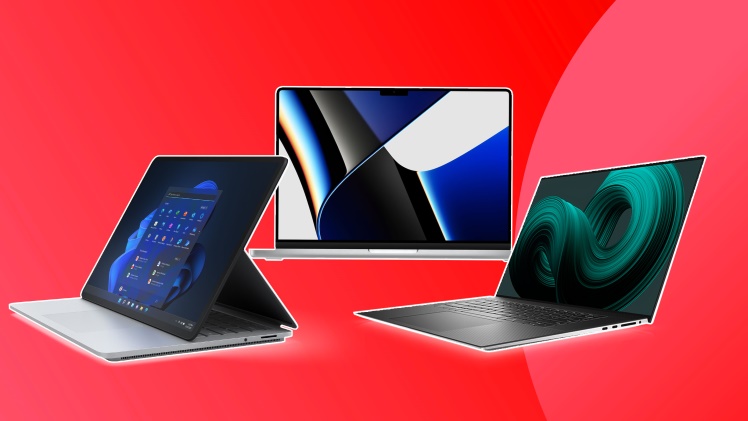
As a digital artist, you know the importance of selecting the right laptop to bring your creations to life. In this article, we’ve compiled a list of the top 5 laptops for digital art in 2023, ensuring you have the tools you need to unleash your creativity.
The perfect laptop for digital art should have excellent performance, be compatible with popular digital art software, and integrate seamlessly with graphics tablets. Read on to discover which laptop is the ideal choice for you.
Importance of Selecting the Right Laptop for Digital Art
For digital artists, a high-performance laptop is essential to create stunning artwork. The right laptop can help you work more efficiently, reduce rendering times, and enhance your overall creative process.
Brief Overview of Top Laptops
We’ve researched and tested numerous laptops on the market to compile our top 5 list for digital art. These laptops offer outstanding performance, compatibility with popular software, and seamless integration with graphics tablets.
Top 5 Laptops for Digital Art
Apple MacBook Pro
The MacBook Pro is a favorite among creative professionals for its sleek design, powerful performance, and exceptional display. With the Apple M1 chip, the MacBook Pro offers incredible processing power and long battery life.
Pros:
- Stunning Retina display
- High-performance M1 chip
- Excellent battery life
Cons:
- Expensive
- Limited customization options
Dell XPS 15
The Dell XPS 15 is a fantastic Windows alternative to the MacBook Pro, offering a gorgeous InfinityEdge display and powerful performance. With up to an Intel Core i9 processor, this laptop can handle even the most demanding digital art projects.
Pros:
- Beautiful InfinityEdge display
- Powerful performance
- Customizable configurations
Cons:
- It can be pricey with higher-end configurations
- Heavier than some competitors
HP Spectre x360
The HP Spectre x360 is a versatile 2-in-1 laptop with a touchscreen display, making it perfect for digital artists who prefer a more hands-on approach. With an Intel Core i7 processor and NVIDIA GeForce MX330 graphics, this laptop offers excellent performance.
Pros:
- 2-in-1 design with a touchscreen display
- Solid performance
- Stylish design
Cons:
- Battery life could be better
- Some users may find the fan noise distracting
Asus ZenBook Pro Duo
The Asus ZenBook Pro Duo offers a unique dual-screen design, providing digital artists with additional screen real estate for multitasking. With an Intel Core i9 processor and NVIDIA GeForce RTX 3070 graphics, this laptop is a powerhouse.
Pros:
- Innovative dual-screen design
- Powerful performance
- High-quality display
Cons:
- Expensive
- Heavy and bulky
Acer ConceptD 3 Ezel
The Acer ConceptD 3 Ezel is designed specifically for creatives, with a versatile hinge design that allows for multiple display modes. With an Intel Core i7 processor and NVIDIA GeForce GTX 1650 graphics, this laptop offers excellent performance for digital art.
Pros:
- Unique hinge design for multiple display modes
- Solid performance
- Color-accurate display
Cons:
- Expensive
- Battery life could be better
Digital Art Software Compatibility
All laptops on our list are compatible with popular digital art software, such as Adobe Creative Suite, Corel Painter, and Clip Studio Paint. When selecting a laptop, it’s essential to ensure that it meets the system requirements of your preferred software. Keep in mind that some software, like Adobe Creative Suite, offers better performance on laptops with dedicated graphics cards and higher RAM capacities.
Laptop Performance Tips for Artists
Processor, RAM, Storage, and Graphics Requirements:
For digital artists, having a laptop with the right specifications is crucial. Here are some key components to consider when selecting a laptop for digital art:
- Processor: A powerful processor, such as the Intel Core i7 or i9 or the Apple M1 chip, is essential for smooth performance when working on complex projects.
- RAM: Aim for a minimum of 16GB RAM to ensure your laptop can handle multiple applications and large files without slowing down.
- Storage: Opt for a solid-state drive (SSD) for faster read and write speeds. A minimum of 512GB is recommended to store your digital art files.
- Graphics: A dedicated graphics card, such as NVIDIA GeForce or AMD Radeon, can significantly improve rendering times and overall performance in graphics-intensive applications.
Graphics Tablets and Laptops: Integration and Compatibility
Tips for Choosing a Compatible Graphics Tablet:
When pairing a graphics tablet with your laptop, it’s essential to ensure compatibility. Here are some tips to help you choose the right graphics tablet for your laptop:
- Check the tablet’s system requirements to ensure it’s compatible with your laptop’s operating system and specifications.
- Consider the tablet’s connectivity options, such as USB or Bluetooth, and ensure your laptop supports them.
- Research the tablet’s driver compatibility and any known issues with your laptop model to avoid potential conflicts.
Conclusion
This article explored the top 5 laptops for digital art in 2023, including the Apple MacBook Pro, Dell XPS 15, HP Spectre x360, Asus ZenBook Pro Duo, and Acer ConceptD 3 Ezel. Each of these laptops offers exceptional performance, digital art software compatibility, and seamless integration with graphics tablets. As a digital artist, having the right laptop is essential for unleashing your creativity. We encourage you to consider the features and specifications that matter most to you when selecting your perfect digital art laptop. You’ll be well-equipped to bring your artistic visions to life with the right tools.
