
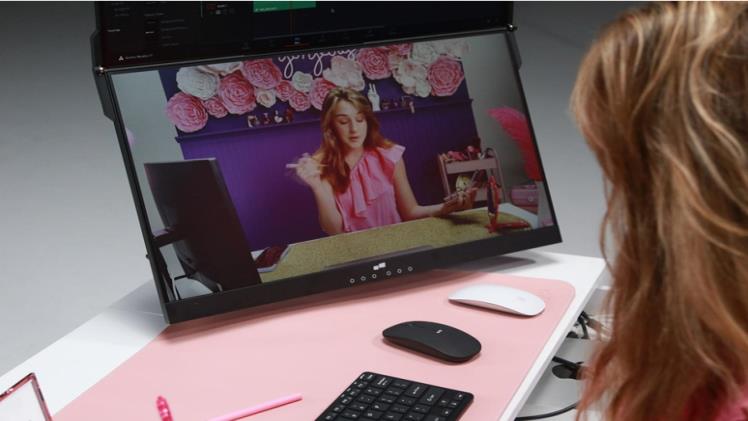
Video editing takes a lot of effort and money to master, just like any other digitally related talent. No matter where you decide to set up your office, you’ll always need the best equipment to step up your performance.
You’re in for a treat if you’re sick of being constrained by a single screen and want to increase your productivity and editing skills. Thanks to Mobile PIxels and the various configurations available, you are not short of options.
We’ll examine the top monitor stacking configurations for video editing in this post. You’ll learn how this setup may elevate your editing experience from “meh” to “mind-blowing.” So, read on to learn more!
Dual Vertical Monitors
One of the simplest and most popular stacked monitor configurations for video editing is using two vertical monitors. Why settle for one monitor when you can have two? Well, the concept is simple.
With a Mobile Pixels Geminos dual stacked monitor setup, you can say goodbye to the frustration of switching between windows and hello to a whole new level of multitasking mastery.
Think about the number of things you can do simultaneously and at a high level. You could use one monitor for your main video preview, while the other monitor becomes your command center for all your editing tools and timelines. With this simple setup, you find yourself always switching tabs or squishing everything into one tiny window.
It’s just like having your own personal editing command center at your fingertips.
Triple Vertical Monitors
All right, so we’ve spoken about how you could utilize a dual monitor setup but you could take it one step further- three monitors. Having a triple vertical monitor setup would be ideally perfect for those who are true editing maestros.
This gives you somewhat of a panoramic view of your edits. There are several ideas you can explore and carry out with configuration. Your main monitor can become the canvas for your video masterpiece while the two side monitors play the supporting roles.
So, the ball is in your court to house all your extra tools, timelines, and resources. It’s like having a whole editing army at your disposal.
Ultra-Wide Stacked Monitor
If you want an even wider screen estate, then an Ultra-Wide Stacked Monitor configuration is an excellent choice. This is a great alternative to using multiple physical monitors. These monitors are wider than regular screens and allow you to split the display into multiple virtual screens. You could also choose to stack these virtual monitors on each other to create a stacked monitor setup.
An ultra-wide stacked monitor like Geminos provides a seamless viewing experience without the bezel interruptions found in multi-monitor setups. It offers a spacious workspace, ideal for video editing tasks that require precision and attention to detail.
This configuration enables you to have a comprehensive view of your project while keeping all the necessary tools readily available.
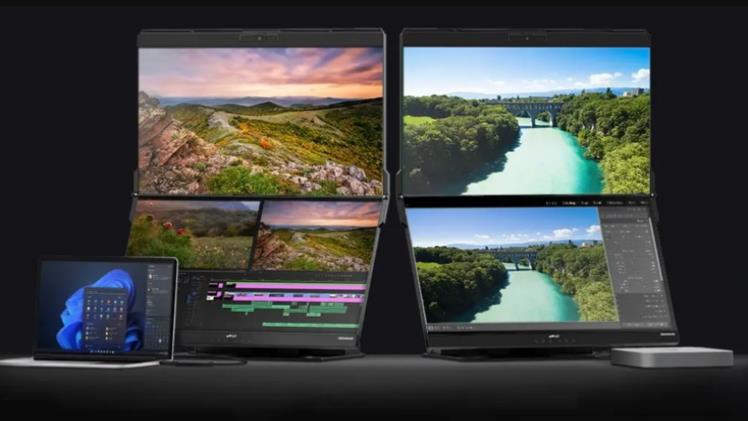
Monitor and Tablet Combination
If you prefer a more interactive editing experience, you can consider using a tablet alongside your main monitor. It’s a simple process and all you need to do is set your tablet vertically next to your main display.
You can use it as a secondary screen for controlling video playback, scrubbing through the timeline, or adjusting color grading. This combination provides a tactile approach to editing, where you can directly interact with your project using touch gestures and a stylus.
Monitor and Reference Display
In video editing, having a reference display that accurately represents the colors and tones of your final output is essential. A stacked monitor configuration can be used to set up a dedicated reference display alongside your primary editing monitor.
You can contrast the colors and features of your project in real time by aligning the reference display vertically next to your primary screen. It’s much easier to guarantee color accuracy and consistency across several devices.
Monitor and Preview Configuration:
A stacked monitor setup that combines a separate preview monitor with the editing workspace may be quite helpful for video editors working on complicated projects or collaborating with others.
This configuration is quite easy and involves placing the preview monitor above your primary editing monitor. So, while working you can have a constant visual reference of how your project will look to viewers. The major benefit of this setup is it allows for a focused editing workflow while maintaining a consistent view of the final output.
