
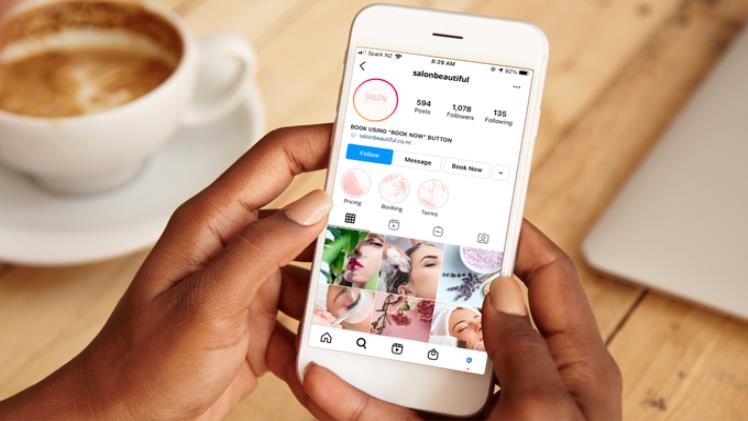
Incorporating a call to action into your business account is a proven marketing tactic that can yield positive outcomes for your business on Instagram. As a business owner on this social media platform, it is crucial to have a means for clients to book appointments and ensure that scheduling runs smoothly. Utilizing the “Book Now” call to action button is an effective solution for this purpose. Understanding how to incorporate this feature into your account can be advantageous for promoting your services.
In this guide, we will explore the benefits of having a “Book Now” call-to-action button on your business Instagram account. We will also provide an overview of key features to consider when selecting a scheduling app. Additionally, we will provide a step-by-step guide on how to add the “Book Now” button to your Instagram account.
Should I Add the “Book Now” Button on Instagram?
Scheduling appointments is an essential part of running a business, regardless of whether you operate a salon, tattoo shop, or offer financial advisory services. Providing a means for clients to book your services on Instagram is an added boost to your business. The “Book Now” button on Instagram allows visitors to your business profile to schedule appointments with ease.
Implementing a “Book Now” button can save you time and money. It streamlines the process of scheduling appointments, enabling you to plan your activities better, and attend to other clients’ needs. Additionally, it provides a proper system for clients to cancel or edit their appointments, minimizing disruptions to your business operations.
Selecting the right scheduling app is critical to maximizing the benefits of the “Book Now” feature. Some scheduling apps offer additional functionalities such as payment integration, automating repetitive tasks, and marketing. Look out for affordable scheduling apps that offer administrative support, are easy to use, and provide essential features that meet your business’s unique requirements.
To add the “Book Now” button on Instagram, you first need to switch to a business account and partner with an appointment scheduling app. Once you have done this, you can add the “Book Now” button by accessing your profile settings, selecting the action button, and choosing the “Book Now” option. Finally, select your preferred appointment scheduling app, log in, and activate the “Book Now” button.
To link an appointment scheduling app with your Instagram account, you first need to create an account with the chosen scheduling app. The app will provide step-by-step guidance on how to create the account before you can proceed with the linking process.
How To Add Book Now Button on Instagram
To add a “Book Now” button on Instagram and link it with an appointment scheduling app, follow the steps below:
- Open Instagram and go to your profile page.
- Click on the Menu button at the top and select Settings.
- Click on Account and then tap the Switch to Professional Account option.
- If your account is already a business account, skip step 3 and go back to your profile page.
- Tap the Edit profile option.
- Scroll down and click the Action Buttons at the bottom.
- Select the Book Now button.
- Choose the appointment scheduling app you want to use and click on it.
- Log in to the appointment scheduling app to authorize the action.
- Your “Book Now” button is now successfully integrated with Instagram and is active.
Congratulations! Your appointment scheduling feature is now active, and customers can start booking appointments by clicking on the “Book Now” button and following the on-screen prompts to finalize their booking. Once an appointment is booked, you can easily manage it from your account and make any necessary changes.
To further promote your appointment booking feature, you can create a post on Instagram to raise awareness and explain how to book an appointment through your profile. With this, you can start attracting customers and growing your business over time.
Conclusion
Offering appointment booking services is a significant advantage for businesses, as it provides numerous benefits. This comprehensive guide delves into the advantages of including a “Book Now” button and provides easy-to-follow instructions for adding it to your Instagram business account.
