
Close Menu
    Facebook X (Twitter) Instagram
    Urdu Feed
    • Home
    • Business
    • Education
    • Food
    • Health
    • News
    • Jobs
    • Law
    • Travel
    • Technology
    Urdu Feed
    Home»Instagram»How To Get Instagram Notifications on iPhone?

    How To Get Instagram Notifications on iPhone?

    0
    By Rose Ruck on March 21, 2023 Instagram
    Share
    Facebook Twitter LinkedIn Pinterest Email

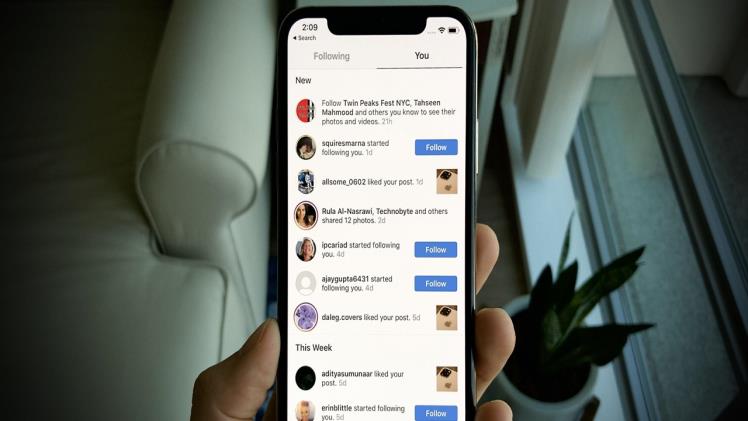
    For those who actively use Instagram, keeping up with the latest activities of their followers and idols is essential. Missing out on a new follower request or a close friend’s post can be disappointing. Therefore, it’s important to understand how to receive notifications for these events.

    In this article, we’ll explore how to do just that.

    Quick Answer

    Enabling notifications for Instagram on your iPhone can be done in two ways: through the Settings application or by using the in-app facilities provided by Instagram.

    By utilizing the notifications feature provided by Instagram, you can stay up-to-date on the latest trends, interact with your followers more efficiently, and tailor your notifications to your specific needs. This can save you time and prevent aimlessly scrolling for hours on end.

    Notifications on Instagram

    To keep up with the constantly changing world of social media, Instagram offers notifications to help users stay informed. Notifications can alert users to a variety of activities on the app, including new stories, posts, comments, Instagram Live events, IGTV videos, messages, and followers.

    How To Turn On the Instagram Notifications From iPhone Settings?

    To receive Instagram notifications on your iPhone outside of the app, you can use the Settings application. With iPhone, you have the option to view notifications in different styles, including count, stacked, or listed views on the lock screen. Follow these steps to enable notifications:

    1. Launch the Settings app on your iPhone.
    2. Scroll down and find “Instagram” under the list of installed applications.
    3. Tap on “Notifications.”
    4. Toggle on the “Allow Notifications” option.
    5. Customize the notification alerts to your liking.
    6. If you would like notifications to have a sound, toggle on the “Sounds” option.
    7. “Badges” show the notification count on the home screen app icon. If the toggle is on, you can see the notification count.
    8. You can also toggle on the “Announce Notifications” feature to have Siri read out the notifications out loud from Instagram. Siri will wait for your response or action after reading the notification without interrupting.

    Instagram also allows you to receive notifications about your favorite artists’ activities with a simple process. If you need help with this, we are here to assist you in every way possible.

    How To Turn On Post Notifications for a Specific Account?

    When scrolling through the Instagram feed, you may notice that posts are not displayed in chronological order due to the platform’s algorithm. Unfortunately, this can cause you to miss out on posts from users whose content you’re interested in.

    To ensure you don’t miss out on updates from your favorite accounts, follow these steps:

    1. Open the Instagram app on your iPhone.
    2. Tap on the search icon located at the bottom of the screen.
    3. Type the name of the user you want to follow in the search bar.
    4. Tap on the desired account from the search results.
    5. Tap on the bell icon located in the top right corner.
    6. Customize your notification settings for their posts, stories, videos, and reels.

    By following these steps, you can rest assured that you’ll never miss another update from your favorite Instagram users.

    To Sum Up

    Effectively utilizing Instagram notifications can significantly impact your experience on the platform. Not only will it help you save time scrolling, but it will also enable you to be more intentional and engaged with your loved ones.

    By now, you have a good understanding of what Instagram notifications are and how they can work to your advantage in keeping you up to date with the latest updates and trends.

    FAQs

    Why can’t I turn on my Instagram notifications?

    To ensure you receive notifications on your iPhone for the Instagram app, it is essential to toggle the notifications on within both the iPhone settings and the Instagram app. However, if you are not receiving notifications, there are a few troubleshooting tips you can try.
    Firstly, try logging out of the application and then logging back in. If this doesn’t work, you can try uninstalling and reinstalling the application. Additionally, disconnecting Facebook from Instagram can also help resolve the issue. By following these steps, you should be able to receive notifications on your iPhone for the Instagram app.

    Why am I not getting any notifications on my iPhone?

    There could be instances where you may not be receiving notifications on your phone, and this could be due to the “Do Not Disturb” focus setting or the paused notifications option in your iPhone settings. To resolve this issue, you can navigate to your iPhone Settings and select “Focus” followed by “Do Not Disturb.”

    Why should I turn on my notifications?

    Instagram is a powerful platform that can keep you informed about the latest trends, celebrity news, updates from your loved ones, and so much more. However, the platform’s algorithm may cause you to miss out on crucial updates. For instance, you wouldn’t want to miss out on your childhood friend’s wedding announcement. That’s precisely why Instagram notifications are crucial.

    Share. Facebook Twitter Pinterest LinkedIn Tumblr Email
    Rose Ruck
    • Website

    Recent Posts

    High Volume PCB Assembly: Scalable Manufacturing for Mass Electronics Production

    December 26, 2025

    Best Face Swap AI 2025: Easy-to-Use Tools for Perfect Face Swaps

    November 2, 2025

    The Ultimate Guide to Buying Apartments in Antalya

    September 8, 2025

    Data Privacy and Confidentiality in Legal Translation Projects: What Every Buyer Needs to Know

    August 14, 2025

    Custom Polo Shirts: Blending Comfort and Professionalism

    August 8, 2025

    How to Prepare Meals Without Using Too Many Pots and Pans

    August 6, 2025

    Advanced HVAC Circuit Boards for Modern Climate Control Systems

    July 25, 2025

    UrduFeed.com consistently updates its website with the latest news, trends, and stories from around the globe. Our team of experienced writers and editors is committed to delivering accurate, informative, and engaging content that caters to the diverse interests of our readers.

    Follow Us
    • Facebook
    • Twitter
    • Pinterest
    • YouTube
    • Vimeo
    • LinkedIn
    • Soundcloud
    • Instagram
    Editor Picks
    • An Introduction to Live Dealer Online Games
    • High Volume PCB Assembly: Scalable Manufacturing for Mass Electronics Production
    • Best Face Swap AI 2025: Easy-to-Use Tools for Perfect Face Swaps
    • The Ultimate Guide to Buying Apartments in Antalya
    • Privacy Policy
    • Disclaimer
    • Contact Us
    • Sitemap
    • Onlineurdupoetry.com
    Urdufeed.net © Copyright 2026, All Rights Reserved

    Type above and press Enter to search. Press Esc to cancel.